SQ6 Mono/Stereo Switching
Inputs Used
The following input channels are the instrument channels we switch between mono and stereo
| SQ Input | Instrument | DCAs |
|---|---|---|
| 13/14 | Bass L/R | band |
| 15/16 | AG L/R | inst, band |
| 17/18 | EG L/R | inst, band |
| 19/20 | Extra Guitar L/R | inst, band |
| 21/22 | Keys L/R | inst, band |
Switching Between Mono and Stereo Inputs on the SQ6
The Allen & Heath SQ6 mixer allows you to configure certain input channels as either mono or stereo, providing flexibility for different audio sources and setups. This configuration is managed through the Mixer Config menu.
To use input channels as stereo channels throughout the mixer, they must first be switched into stereo mode:
- On the SQ6, go to the Setup screen.
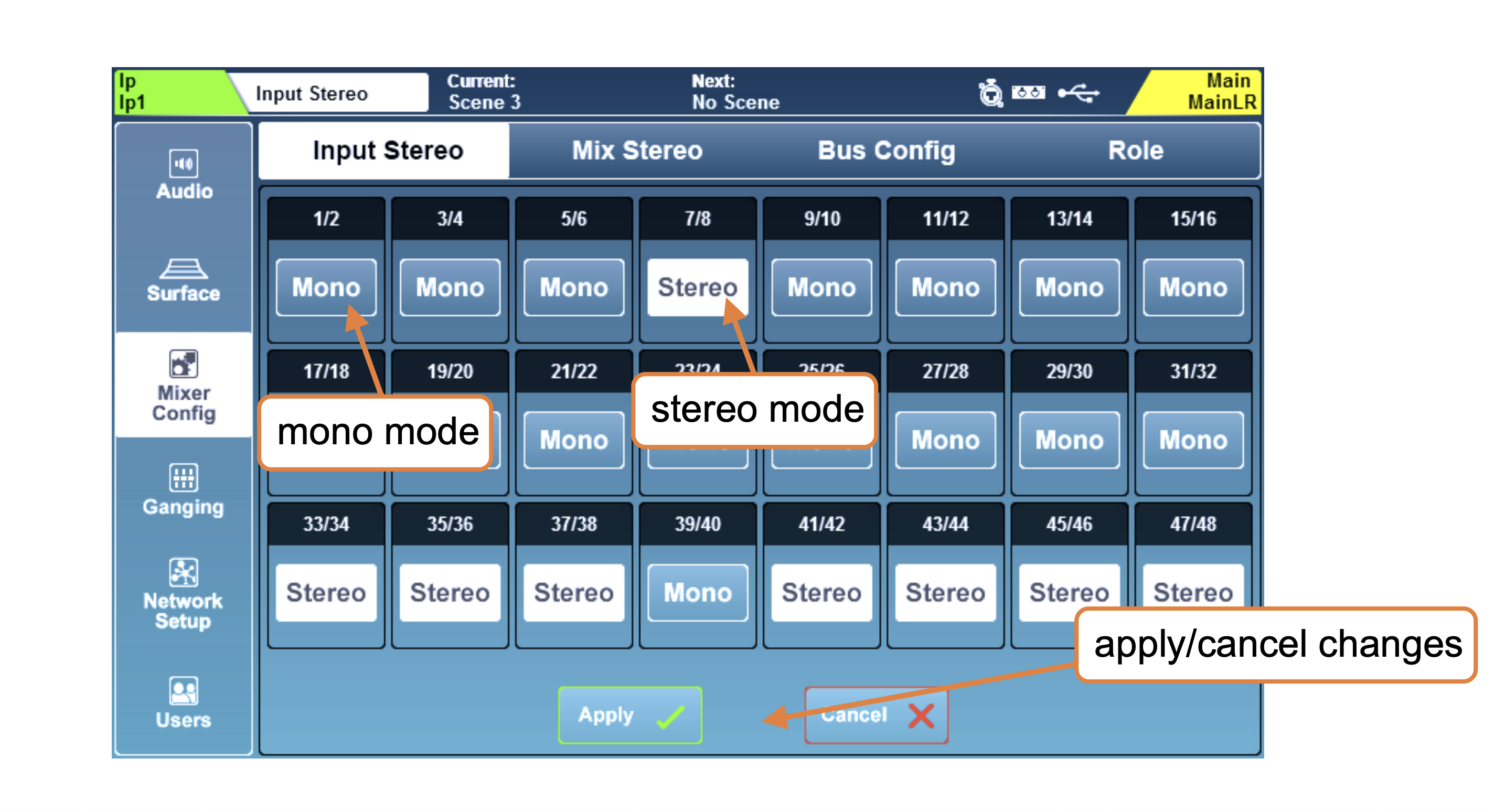
- Touch the Mixer Config tab, then select Input Stereo.
- Odd/even pairs of input channels can be switched between mono and stereo mode by touching the Mono/Stereo button next to the desired channel pair.
- Touch the Apply button to apply any changes.
- Touch the Cancel button to undo changes and display the current state.
Refer to the SQ6 Reference Guide (page 85) for a detailed instructions:
Below is an example screenshot from the SQ6 manual showing the Mixer Config menu where you can adjust input channel configurations:
 SQ6 Mono
to Stereo Swap
SQ6 Mono
to Stereo Swap